Make the sequence useful.
Navio’s value begins with turning a list of stops into an efficient order that the office can review and adjust before work begins.
A service team can have every address and job detail it needs and still lose time deciding the order in which the work should be done.
Navio began as a practical answer to that problem. Efficient job sequencing remains the centre of the product; the driver route, live dashboard, and completed run record exist to help carry that plan through the working day.
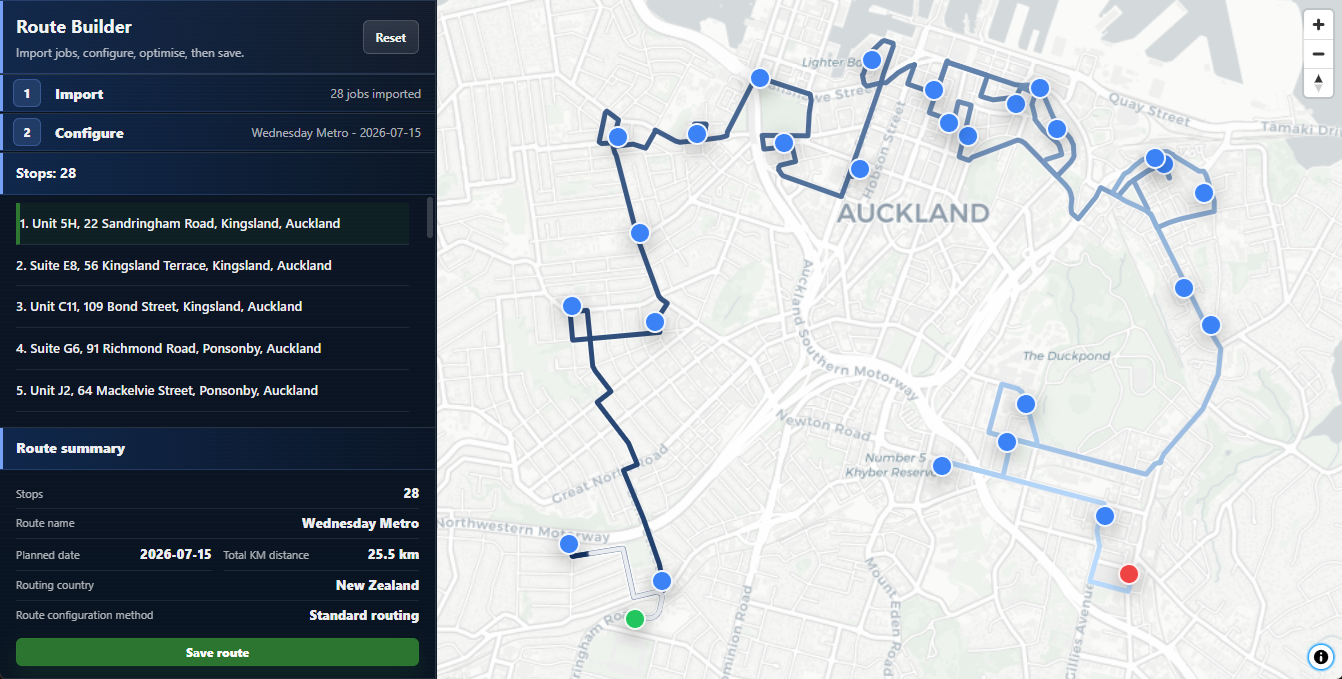
For many service teams, the day already begins with useful information: customer addresses, job notes, reference numbers, and the work that needs to be completed. That information is often held in a spreadsheet or exported from an existing system.
The time-consuming part comes next: working out which stop should come first, which should follow, and how to avoid unnecessary travel across the day. Navio was first built to make that decision easier.
The aim was not to replace the job list. It was to turn it into a usable route while preserving the details the office and driver already rely on.
New functions are useful when they strengthen the route from the office’s job list through to the completed day—not when they simply add more software to manage.
Navio’s value begins with turning a list of stops into an efficient order that the office can review and adjust before work begins.
Teams can begin with the spreadsheet or pasted job data they already use, rather than rebuilding the way work first arrives.
A secure browser link gives the driver the route, job details, and essential actions without requiring an app-store rollout.
Progress, issues, comments, photos, signatures, and completion details remain attached to the work for office review.
Route optimisation is only valuable if the result can be used clearly by the driver and understood by the office. The rest of Navio was built around that handoff.
The driver view carries the route into the field. The dashboard brings progress and exceptions back to the office. Both support the original purpose rather than replacing it.
The driver sees the current job, navigation guidance, and the actions needed to complete the stop or report a problem. Job information stays with the route, so the plan does not have to be reconstructed from separate messages and tools.
No separate driver account or installed mobile app is required.
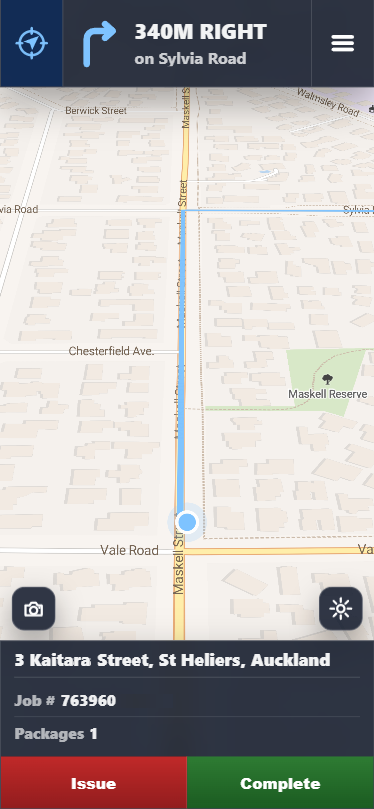
The dashboard shows how routes are progressing and where issues need attention. The information captured during the run remains connected to each job, giving the office a useful record after the work is complete.
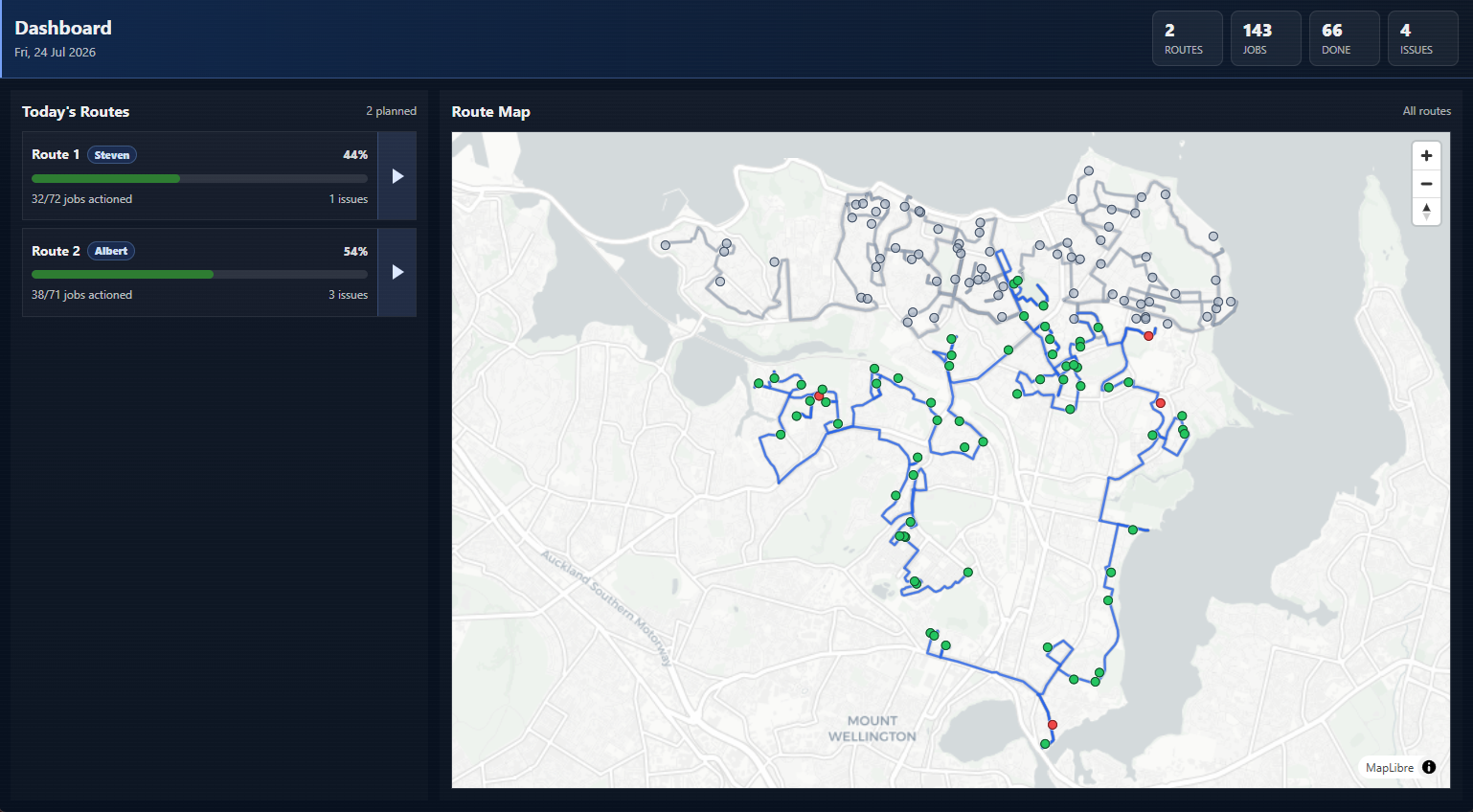
Navio is designed for teams that need a practical connection between the day’s job list, the route a driver follows, and the record the office reviews afterward.
Navio concentrates on the space between receiving a list of jobs and reviewing the completed run. It is designed to complement the tools a service business already uses, while making route planning and the office-to-driver handoff more manageable.
The product is developed for service fleets operating in New Zealand and Australia, with decisions shaped by everyday constraints: different job-list formats, drivers working from phones, changing route conditions, and an office that needs to know what happened.